Mouse Melon: Thé best software for editing Protocol Buffers data

Protocol Buffers is a free and open-source data format for serializing structured data, made by Google. It's a binary format, so you cannot open the data with a text editor, as you would do with a JSON or XML file.
Mouse Melon is a software application that lets you view and edit Protocol Buffers data. It's perfect for when you come across Protocol Buffers data while debugging an application, or for generating test data.
After selecting your .proto files, you can browse through your message types, read the comments
that your wrote, open data files, interact with Protocol Buffers data on the clipboard, export data as JSON, and more.
“Mouse Melon is very convenient and we use it very much. Thank you.
”- Anonymous car manufacturer employee
⭐⭐⭐⭐⭐


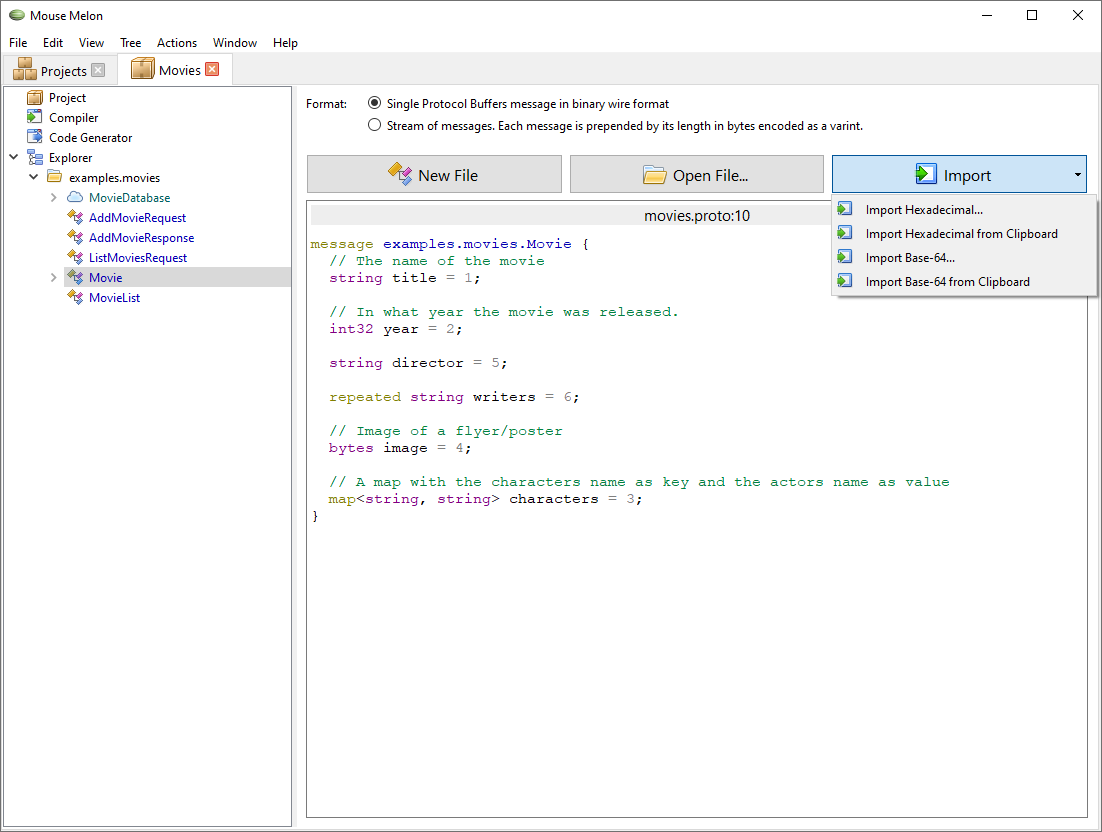
Mouse Melon provides an easy to use and fool proof user interface for viewing and editing Protocol Buffers data in wire format. Files and clipboard data can be opened and edited.
When editing Protocol Buffers data, the message definition and the comments in the .proto file will
be displayed right next to the data. Your documentation is there when you need it.
You can also easily browse throught all your defined messages, enums and gRPC methods.
Generate code for use in the application you're developing with just a few clicks. You can use one of the built-in languages (C++, C#, Java, Kotlin, Objective-C, PHP, Python, Ruby and Rust) or use an other language by using plugins.
The code generator uses protoc to do the actual work. In Mouse Melon you can
see the input and output of the process.
Features that will come later:
If you would like any of those features, or any other feature, please tell us! Our users' wishes are our priority.
Also interesting: